武功秘籍 – Apache + Php + Mysql +WordPress
參考 SOP
# update system and do the upgrade
sudo apt update && sudo apt upgrade && sudo apt dist-upgrade

# install the packages we need
sudo apt install apache2 mysql-server php libapache2-mod-php php-mysql php-mbstring

# make sure the service is running, check the result show "running"
service apache2 status
service mysql status

# 這一段是如果你有 domain 要套用在這台機器上的話才需要做的內容
# go to windows OS and enter c:\Windows\System32\drivers\etc folder.
# adjust hosts file permissions to get edit and write permission.
# add "10.40.22.70 www.cute301.com" to the file "hosts" and save it.

# setup mysql root ID / PASSWORD
# login mysql first
sudo mysql

# execute the command, remember to replace the new_password
# 你要設定 root 的密碼, 因此請將以下指令內容的 'new_password' 換成 '你的密碼'
mysql> ALTER USER 'root'@'localhost' IDENTIFIED WITH mysql_native_password BY 'new_password';
mysql> flush privileges;

# exit from mysql
mysql> exit

# initial mysql installation
sudo mysql_secure_installation

# enter "y" to these questions
Remove anonymous users? (Press y|Y for Yes, any other key for No) : y
Disallow root login remotely? (Press y|Y for Yes, any other key for No) : y
Remove test database and access to it? (Press y|Y for Yes, any other key for No) : y
Reload privilege tables now? (Press y|Y for Yes, any other key for No) : y

# go the home dir of your account and download phpmyadmin
cd
wget https://files.phpmyadmin.net/phpMyAdmin/5.2.1/phpMyAdmin-5.2.1-all-languages.zip

# install zip unzip packages
sudo apt install zip unzip

#extract the zip files
unzip phpMyAdmin-5.2.1-all-languages.zip

# move phpmyadmin to the website dir
sudo mv phpMyAdmin-5.2.1-all-languages /var/www/html/tool

# add new mysql account, wpmaster and auto generate pwd
# 帳號 wpmaster, 密碼由系統自己產出. 建立帳號的同時也請一起產生同名的 database

# or add manually by mysql
# Login mysql
mysql -uroot -p
# create account (wordpress/abcWE@s123)and require mysql database "wordpress"
CREATE USER 'wordpress'@'localhost' IDENTIFIED WITH mysql_native_password BY 'abcWE@s123';GRANT USAGE ON *.* TO 'wordpress'@'localhost';ALTER USER 'wordpress'@'localhost' REQUIRE NONE WITH MAX_QUERIES_PER_HOUR 0 MAX_CONNECTIONS_PER_HOUR 0 MAX_UPDATES_PER_HOUR 0 MAX_USER_CONNECTIONS 0;CREATE DATABASE IF NOT EXISTS `wordpress`;GRANT ALL PRIVILEGES ON `wordpress`.* TO 'wordpress'@'localhost';

# download WordPress to the home dir of your account
cd
wget https://tw.wordpress.org/latest-zh_TW.zip

# unzip it
unzip latest-zh_TW.zip

# move wordpress to the right directory
sudo mv wordpress /var/www/html/wordpress

# 查看 apache2 用什麼帳號在執行
sudo ps aux | egrep '(apache|httpd)'

# adjust the directory permission
sudo chown -R www-data:www-data /var/www

# 以上安裝完成, 接下來要去進行設定
設定 wordpress
# 用 browser 進入 wordpress, localhost 也可換成你的 ip
http://locahost:8080/wordpress

# 第一次進入需要建立帳號密碼與輸入 db 資料!!

# 安裝過程中有需要命名你的網站, 請注意這邊是否要修改喔!!
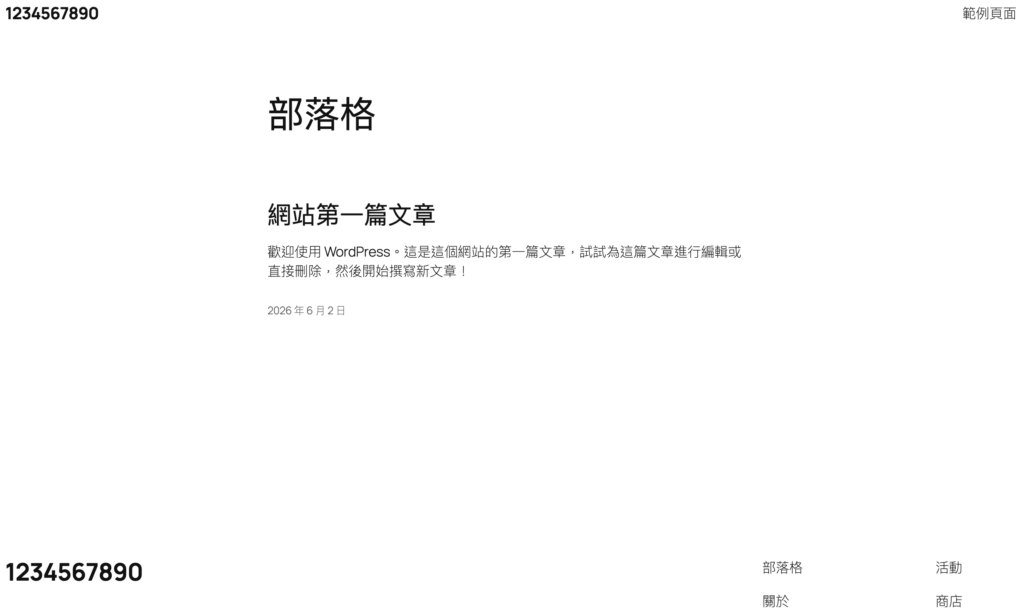
看到以下畫面就表示安裝成功了喔!!!!